Market
Buy seeds or other items.
The Market allows you to spend emeralds on things like seeds and saplings.
It is completely configurable through data packs, so it can also be used to sell custom items.
Usage
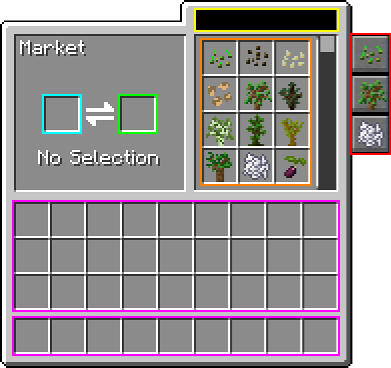
- Right-click the market to open the interface.
- Select an item to buy on the right.
- Put your payment in the slot on the left.
- Take out however many you want to buy from the result slot.
Interface
Crafting


Configuration
includedGroups
Set
List of groups to enable. 'default' is an alias for the inbuilt defaults (selling.seeds, selling.saplings and selling.fertilizers.minecraft). (Default: [default])
excludedGroups
Set
List of groups to disable. Has precedence over includedGroups. 'selling.seeds' for example would disable all seeds from the market. (Default: [])
merchantNames
List
List of names the merchant can have. (Default: [Swap-O-Matic, Emerald Muncher, Weathered Salesperson])
treatMerchantsLikeBabies
Boolean
If true, merchants will be considered babies (on a technical level only), which may resolve exploits based on merchant death loot (like blood) (Default: false)
Customization
For information on how to customize the market by adding new trades or changing prices, see the Customization Guide